How to add Convermax Site Search app into your WooCommerce store
Print
Modified on: Fri, Jan 17, 2020 at 3:57 PM
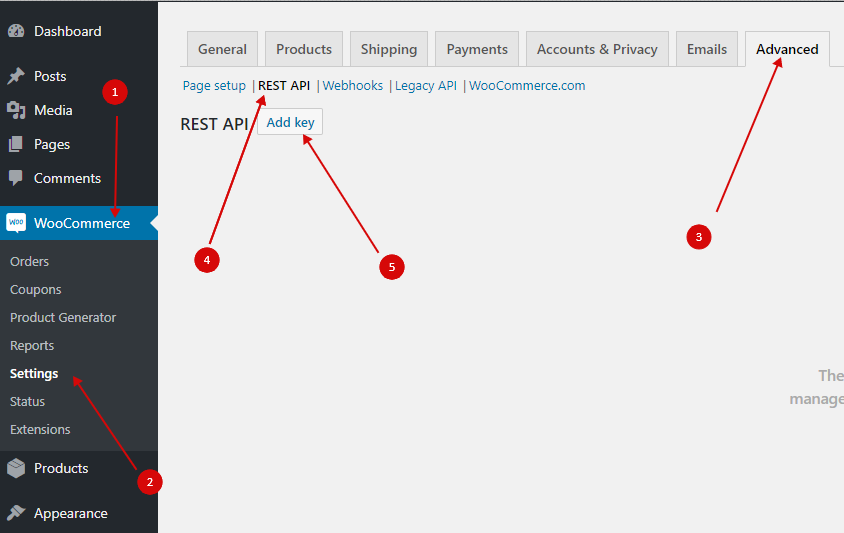
1. Open your WooCommerce admin dashboard.
Go to WooCommerce > Settings > Advanced > REST API and click "Add key" button.
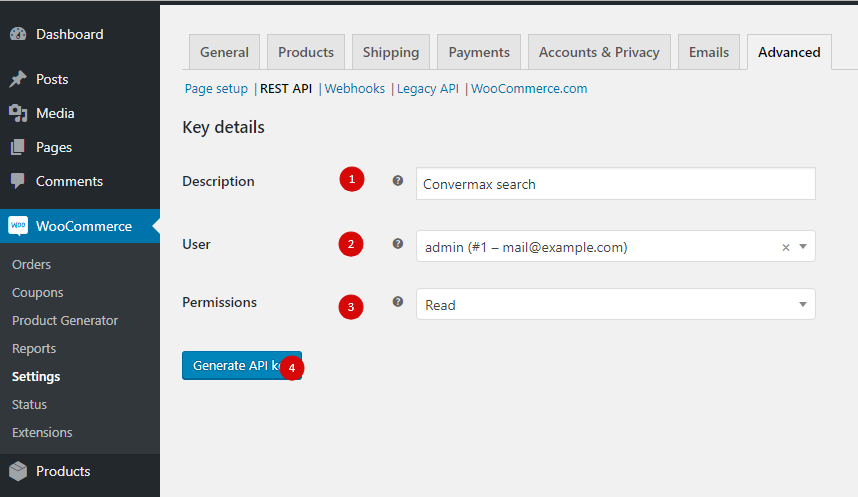
2. Enter key description, e.g. "Convermax search", select user who will own this key, set permissions to "Read" and click "Generate API key" button.
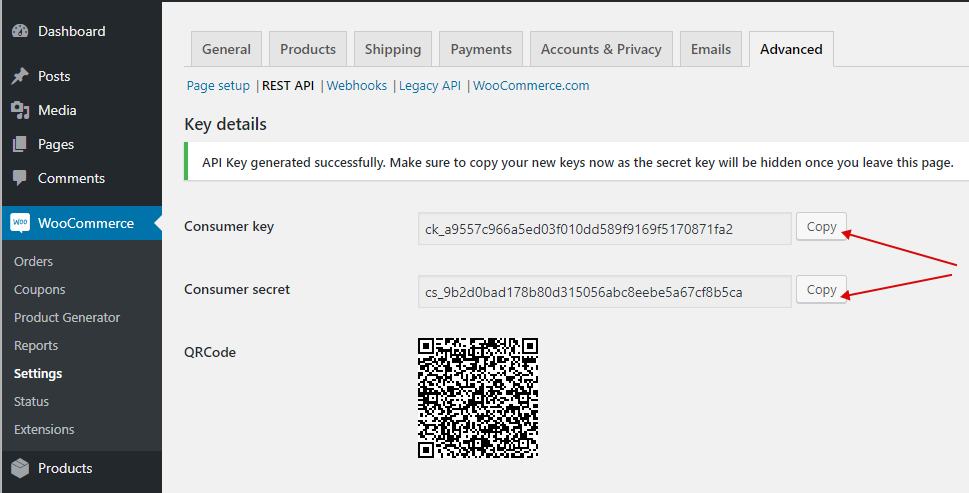
3. Copy "Consumer key" and "Consumer secret" and send it back to us (dev@convermax.com).
Did you find it helpful?
Yes
No
Send feedback Sorry we couldn't be helpful. Help us improve this article with your feedback.
